Don’t Just Share The Boring, Typical Checklist (To-Do List). Provide A Complete Action Plan With Descriptions, Links And Steps That People Can Follow And Finish!
Three Simple Steps To Create Amazing Checklists
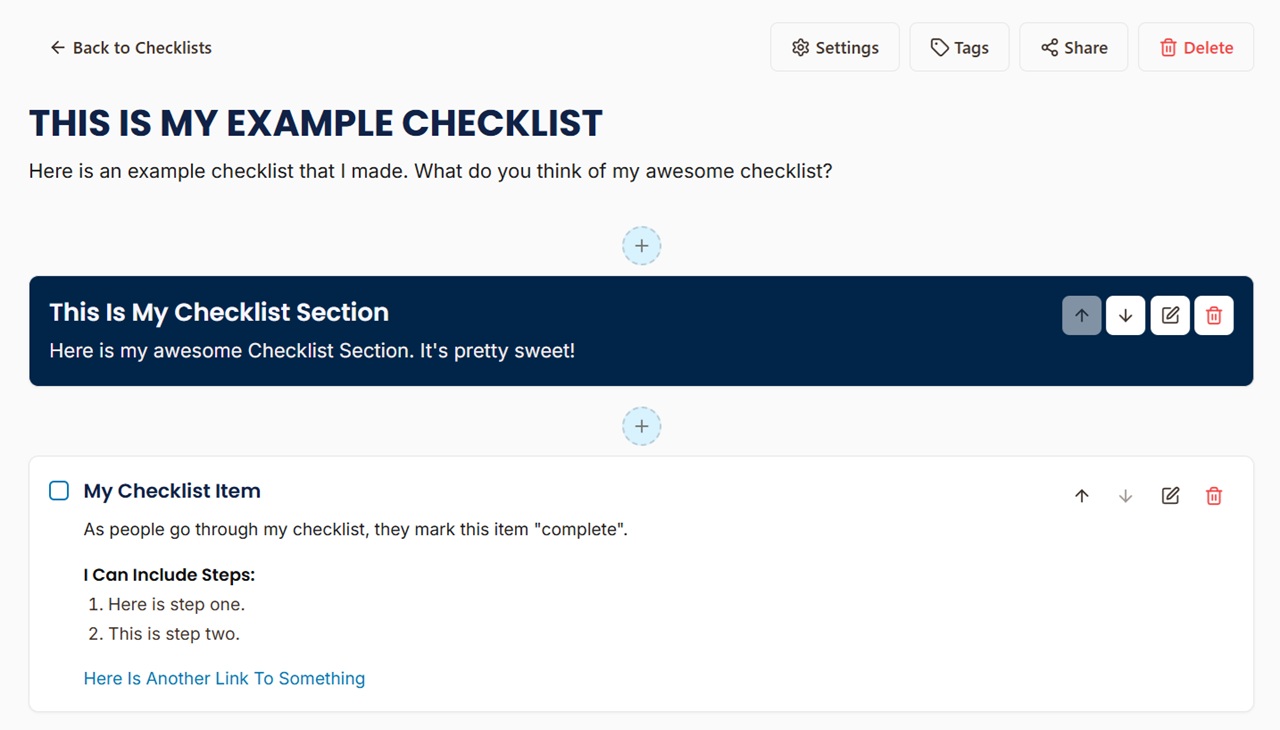
Build comprehensive checklists with organized Sections. Add detailed Steps and helpful Resource Links to each Item. Combine multiple checklists into Bundles for multi-Checklist guides.
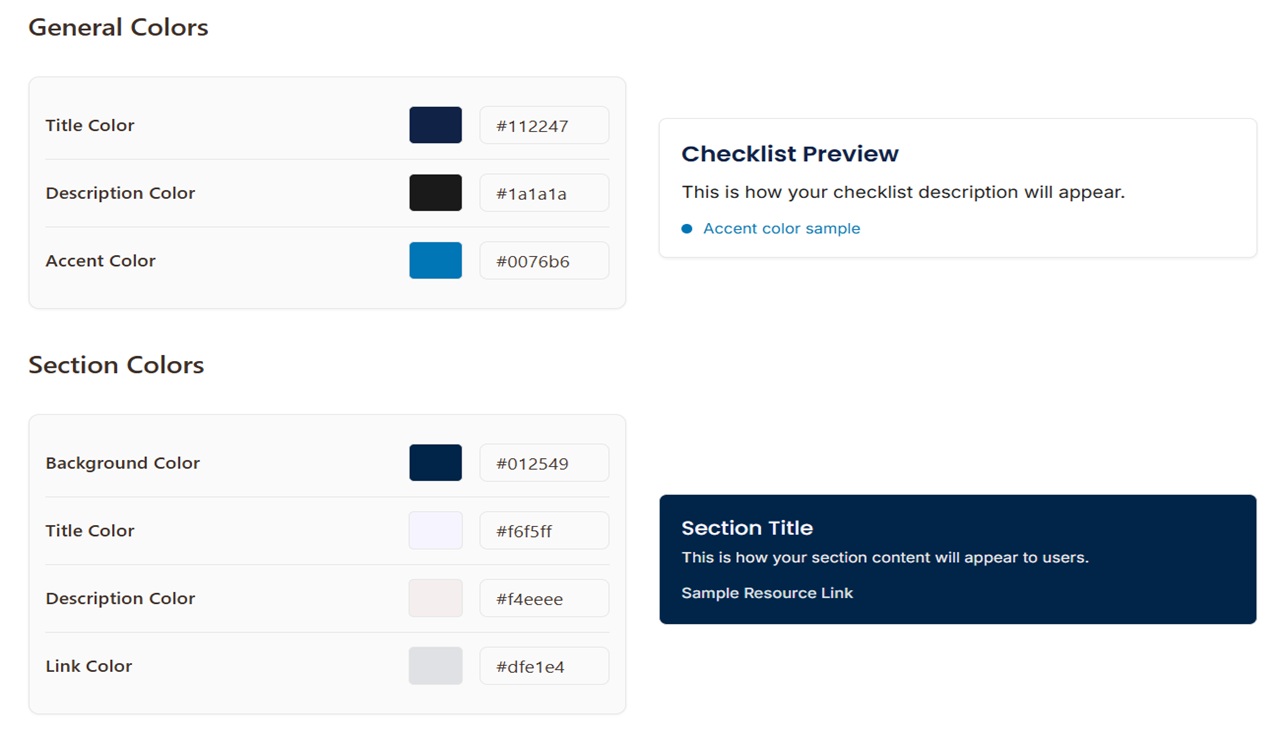
Make your checklists uniquely yours. Add your business logo, choose matching brand colors, select a listed font. Create a professional experience that reflects your business identity.
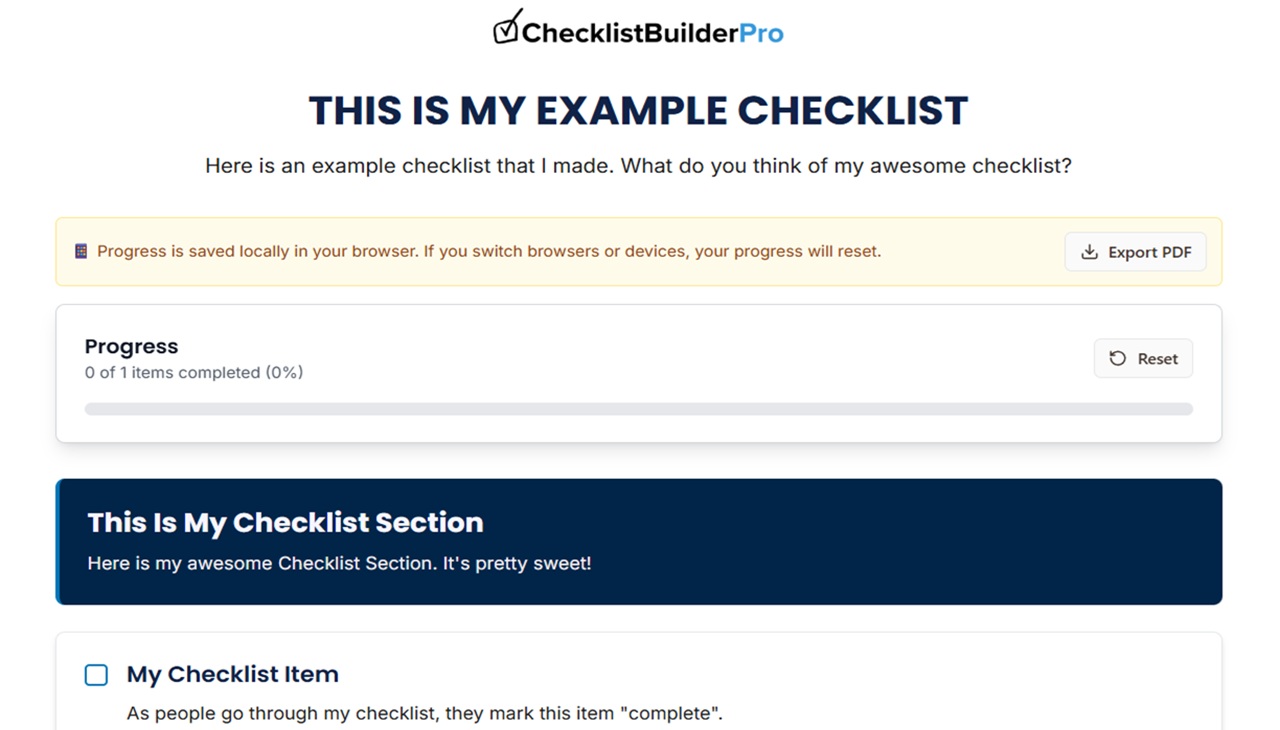
Publish your checklists with a unique, shareable link, and an instantly generated QR Code. Your audience can track their personal progress, and continue their progress at any time.
Just A Few of The Features That Make Our Platform Really Stand Out!
Send one link that opens a full set of Checklists at once. Ideal for courses, onboarding packs, or any project that uses several Checklists.
Add numbered steps under any Item so readers know exactly what to do and in what order. This turns a simple to-do into a guided action plan.
Include useful links at the Checklist, Section, or Item level. Perfect for linking to downloads, Youtube videos, affiliate links, or any other website.
Each Checklist lives at a short, memorable "mychecklist.link" URL. Share it anywhere online without extra setup.
Every Checklist comes with its own QR code. Print or display it and anyone can scan to open the Checklist on any Smart device.
Checklists look great and are easy to use on phones, tablets, and desktops. Get the same smooth experience on any screen.
Set the colors for Sections, Items, and links so your checklist feels like part of your own site or business style guide.
When you make changes to your Checklist, the shared version updates instantly, without the need to re-post your link.
With one click, viewers can save a clean PDF for printing. Perfect for live trainings, events, or teams that still love paper.
All The Tools You Need To Create And Share Professional Checklists
Make your checklists match your brand. Add your logo, pick a font, and choose your colors for a clean, professional look.
Checklist Items can include "Steps" and "Resource links", so your audience has what they need to complete each task.
Share your checklists with just a couple of clicks. Your audience gets instant access through a simple link—no logins or fuss.
Your audience can check off items as they go. Progress is stored, helping them stay on course from start to finish.
Bring in full checklists or bundles created by other Checklist Builder Pro users. It's fast, simple, and saves you time.
Include your business website URL and phone number at the top of your checklist to expand your business branding.
Sign up for a totally FREE checklist account. You get unlimited access to everything for free, no upgrades or upsells.
$0/month
Full access to all features. Forever free.
Find Answers To Common Questions About Using Checklist Builder Pro
Yes! You can create one full checklist and use as many features as you want without paying a dime.
Absolutely! It's super easy to share with clients, students, or team members. You can share a Checklist using a single link. Or share a Checklist Bundle (also with a single link). No account needed to VIEW Checklists or Bundles.
Yes! Visit the Branding page to customize colors and fonts. You can also upload your business logo, add business information, and remove ChecklistBuilderPro branding from the public checklists.
Bundles allow you to combine multiple Checklists together, and then share the Bundle (with all of the Checklists) using a single link. With Bundles, you can organize multiple Checklists around a theme, project, or workflow. Create a Bundle from the Bundles page and then add Checklists to it.
Progress is saved locally in the device browser. This means that people can leave the Checklist, and come back later to the same device browser without losing progress - no logins or syncing required. Please note, if the browser or device changes, the progress will be reset.
Yes! Send a message to support@checklistbuilderpro.com. Or use the Support page inside the Checklist Builder Pro platform.
Create and share step-by-step, interactive checklists that guide people to the finish line. Your audience will love using them—and you’ll love how easy they are to build.
CREATE A FREE CHECKLIST